


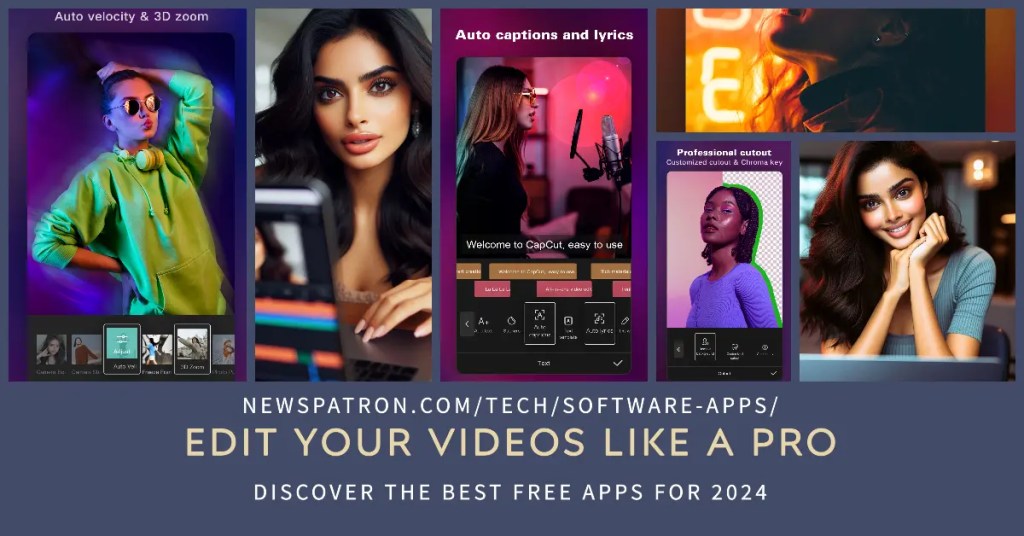


[Image Courtesy – Capcut]
? Lights, camera, app-tion! ?
Who needs a Hollywood studio when you’ve got a pocket-sized powerhouse in your hands? Mobile video editing is the new black, and it’s not just for TikTok teens anymore. ? Whether you’re vlogging your way to fame, crafting Insta-worthy stories, or dreaming up your next YouTube masterpiece, your smartphone is your secret weapon.
But hold your horses, aspiring Spielberg! Before you dive headfirst into a sea of filters and transitions, you need the right tools. And guess what? You don’t have to break the bank to get ’em. Yep, we’re talking about the best free video editing apps that’ll turn your shaky clips into cinematic gold. ?
In this guide, we’ll break down the hottest apps for Android and iPhone, giving you the lowdown on their quirks, perks, and everything in between. Think of it as your backstage pass to the mobile editing scene. ?
So, grab your phone, charge that battery, and get ready to discover the apps that’ll make your videos pop without emptying your wallet. It’s time to unleash your inner director and let the editing magic begin! ?
And now, let’s move onto our first featured app!
Best Free Video Editing Apps: A 2024 Showdown
InShot: The Easy-Does-It Editor ??
If you’re a video editing newbie, InShot is your friendly neighborhood guide. Think of it as the training wheels for your mobile movie-making journey. Its interface is so intuitive, it’s like InShot is holding your hand through the editing process (no judgment if you need that extra support – we all start somewhere! ?).
Recommended Product
Casio Vintage A168WA Digital Grey Unisex Watch
🛒 View on Amazon →As an Amazon Associate, we earn from qualifying purchases. Price and availability may vary.
Key Features That Don’t Cost a Dime ?
InShot’s free version is surprisingly packed with tools:
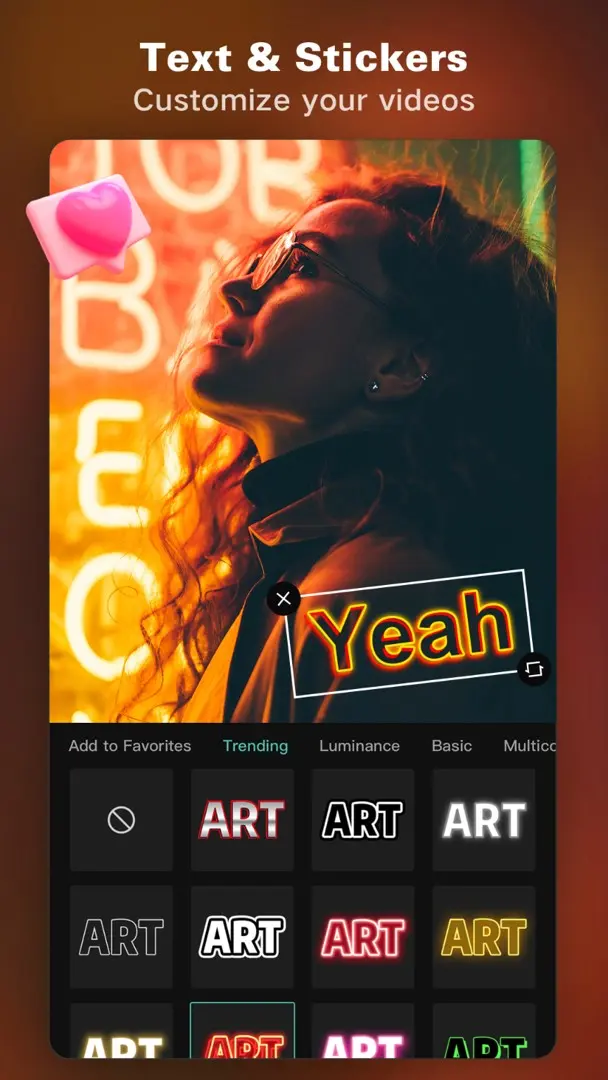
- Trim and Cut: Slice and dice your footage like a pro chef prepping a gourmet meal. ?
- Filters and Effects: Make your videos pop with a variety of filters and effects, from vintage vibes to futuristic flair.
- Music and Sound Effects: Add the perfect soundtrack or a hilarious sound effect (fart noises, anyone? ??).
- Basic Transitions: Keep things flowing smoothly with simple transitions like fades and wipes.
AI: Your Editing Sidekick (with a Catch!) ?
[Image courtesty Capcut]
The Watermark Dilemma: To Watch or Not to Watch? ?
Ah, the dreaded watermark. InShot’s free version slaps their logo on your videos, which can be a real buzzkill. ? But fear not! There are workarounds. Sometimes you can banish the watermark by watching a short ad (think of it as paying your dues to the editing gods ?). Other times, you might need to get a little creative with cropping or overlaying elements. It’s a minor inconvenience for a free app with so much to offer.
InShot: The Verdict ????
InShot is a fantastic starting point for beginners who want to dip their toes into the world of video editing without feeling overwhelmed. It’s easy to use, has a solid range of features, and won’t cost you a penny (unless you count those ad views ?). But if you’re hungry for more advanced features and a watermark-free experience, keep reading – we’ve got two more contenders waiting in the wings!
Let us know if any of some specific features of InShot !
Join Forums
Join the Discussion
Your opinion matters! We invite you to express your views. Join our forum, engage in thoughtful discussions, share information, and submit your content. Let’s delve into diverse perspectives together.
[bbp-single-topic id=6761]
CapCut: The Powerhouse Player ??
If InShot is the friendly beginner course, CapCut is the graduate program – it’s where you go to flex those editing muscles and unleash your creativity. This app is like a Swiss Army knife for video editors, packed with features that’ll make your jaw drop (and your followers double-tap). ?
Feature Frenzy: Everything But the Kitchen Sink ?
CapCut’s free version is like a treasure chest overflowing with editing goodies:
- Multi-Layer Editing: Stack videos, images, and text like a pro. It’s like building a visual lasagna, but way more delicious. ?
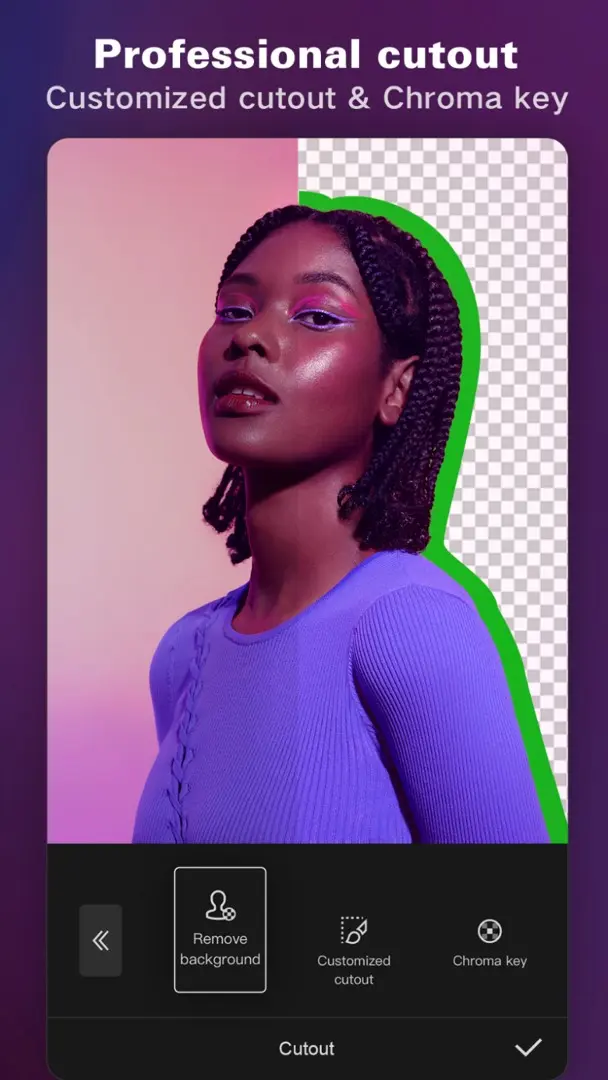
- Chroma Key (Green Screen): Transport yourself to exotic locations or create mind-bending effects. Just make sure your lighting is on point, or you’ll end up looking like a floating head. ?
- Keyframe Animation: Add movement and life to your videos with keyframe animation. It’s like puppetry, but with pixels instead of puppets.
- Effects Galore: From glitchy distortions to dreamy overlays, CapCut has an effect for every mood and vibe. It’s like a filter buffet, but for your videos. ?
User Experience: Smooth Like Butter?
[Image courtesy Capcut]
Cloud Collaboration: Editing Party Time!?
CapCut’s cloud syncing feature is a game-changer for collaborative projects. You can work on videos with friends or colleagues, no matter where they are in the world. It’s like a virtual editing party, but without the awkward small talk.
“Gotcha!” – The Title Card Trickster ?
Alright, here’s the one downside of CapCut: the automatic title card. It’s like that unwanted guest who crashes your party and refuses to leave. ? But don’t worry, it’s easy to get rid of. Just tap on it, hit delete, and it’s outta there! Problem solved.
CapCut: The Verdict ????
CapCut is a powerhouse app that caters to both beginners and experienced editors. Its wide range of features, user-friendly interface, and collaborative tools make it a top choice for anyone who wants to create professional-looking videos on their smartphone. But if precise trimming and granular control over your exports are your priorities, our next contender might be a better fit. ?
[Capcut for IOS – Capcut for Android]
VN Video Editor: The Trimming Titan ??????
If you’re the type who obsesses over details and loves to fine-tune every frame, VN Video Editor is your editing soulmate. This app isn’t just about making cuts; it’s about sculpting your footage with the precision of a master craftsman. Think of it as a pair of surgical scissors for your video clips – only way less messy. ?
Trimming: Where VN Truly Shines ?
VN Video Editor is the undisputed champion of trimming. Its intuitive interface and dedicated tools make it incredibly easy to shave off unwanted seconds, split clips, and merge them back together seamlessly. Whether you’re removing awkward pauses, condensing footage, or creating a fast-paced montage, VN’s got your back.

Exporting Options: Take Control, Captain! ?
Forget those “one-size-fits-all” export settings. VN Video Editor lets you customize the frame rate, bit rate, and resolution of your videos, giving you the power to optimize them for different platforms and devices. It’s like having a personal video export assistant, but without the hourly rate. ?
[Image courtesy Capcut]
Organized Layout: A Place for Everything ??
VN’s unique layout is a breath of fresh air for those who crave order and efficiency. With separate tracks for video, audio, and titles, you can easily keep your project organized and avoid those messy, tangled timelines that make you want to tear your hair out. It’s like having a color-coded filing system for your video edits – satisfyingly neat!
The “Gotcha!” Moment: Another Title Card Culprit ?
Okay, we need to talk about VN’s automatic title card. It’s like that one friend who always shows up unannounced and overstays their welcome. ? Thankfully, just like in CapCut, you can easily remove it before exporting your video.
VN Video Editor: The Verdict ????
VN Video Editor is a must-have for editors who demand precision and control. Its trimming tools, export options, and organized layout make it a joy to use, especially for those with an eye for detail. But if you’re more interested in flashy effects, animations, or AI-powered tools, you might find VN’s selection a bit limited.
Beyond the Basics: Free vs. Pro ??
Alright, let’s talk about the elephant in the room: the allure of those shiny “pro” features. All three apps we’ve discussed offer free versions that are packed with value. But if you’re ready to take your video editing to the next level, it’s worth considering a paid upgrade. So, let’s weigh the pros and cons of going pro with each app.
InShot Pro:
- Pros: Unlocks a massive library of premium filters, effects, and transitions. Removes that pesky watermark and gives you access to more advanced editing tools, like masks and keyframe animation.
- Cons: The monthly subscription fee can add up over time, especially if you’re only an occasional editor.
CapCut Pro:
- Pros: Grants access to a wider range of music tracks, sound effects, and exclusive templates. Removes the CapCut watermark and unlocks some advanced AI-powered features like background removal and noise reduction.
- Cons: Some of the most enticing features, like cloud backups and team collaboration, are only available on higher-tier plans.
VN Video Editor Pro:
- Pros: Removes the VN watermark and gives you more flexibility with exporting options, like custom watermarks and higher resolutions.
- Cons: The pro version doesn’t offer as many additional features as the other apps, so the value proposition might be less appealing for some users.
The Verdict: To Pro or Not to Pro? ?
The decision to upgrade ultimately depends on your needs and budget. If you’re just starting out or only edit videos occasionally, the free versions of these apps are more than enough. However, if you’re serious about video editing and want access to all the bells and whistles, investing in a pro version can be a worthwhile investment.
Pro Tip: Before you commit to a subscription, most apps offer free trials. Take advantage of these to test out the pro features and see if they’re worth the extra cash for your specific editing needs. ?
AI to the Rescue: Smart Editing Made Easy ??
Hold onto your hats, folks, because AI is shaking up the video editing world like a Polaroid picture. ? It’s not just about fancy filters and transitions anymore – artificial intelligence is stepping in to make our editing lives easier, faster, and more creative.
Editing on Autopilot: AI to the Rescue ?
Ever wished you could have a personal editing assistant who magically whipped your footage into shape? Well, AI is the closest thing we’ve got. These smart tools can analyze your videos, identify the best shots, and even make automatic adjustments for lighting, color, and sound.
Here are some AI-powered features to look for in your video editing app:
- Auto-Enhance: This is like the “make me look fabulous” button for your videos. AI analyzes your footage and applies automatic corrections to improve brightness, contrast, and color balance. ?
- Smart Cuts: Say goodbye to those awkward pauses and jump cuts. AI can detect the best moments in your footage and seamlessly stitch them together, creating a polished and professional look. ??
- Object Removal: Did a rogue photobomber ruin your perfect shot? No problem! AI can remove unwanted objects from your videos, leaving no trace of their existence. It’s like magic, but with algorithms instead of wands. ?
- Style Transfer: Want to give your videos a vintage film look or a trippy psychedelic vibe? AI can analyze famous artwork or film styles and apply them to your footage, creating a unique and artistic effect. ?
Is AI Worth the Hype? It Depends… ?
AI tools can be a lifesaver for beginners who are still learning the ropes of video editing. They can also save time for experienced editors who want to streamline their workflow. However, AI isn’t a replacement for human creativity and intuition. Sometimes, the best edits come from experimenting and trusting your gut.
Ultimately, whether or not AI-powered editing is worth it depends on your individual needs and preferences. If you’re looking for a quick and easy way to improve your videos, AI can be a great option. But if you enjoy the creative process of editing and want complete control over your footage, you might prefer to stick to traditional methods.
Pro Tip: Don’t be afraid to experiment with AI tools and see how they can enhance your videos. You might be surprised at the results!
Finding Your Perfect Fit: The Right App for the Right Creator ??
We’ve explored three fantastic free video editing apps, each with its own unique strengths and quirks. Now, let’s play matchmaker and find the perfect app for your editing style and needs.
The Casual Creator: InShot ?
If you’re just starting out with video editing or mainly create content for social media, InShot is a great place to begin. Its user-friendly interface and basic features make it easy to learn the ropes without feeling overwhelmed. You’ll be trimming, adding filters, and throwing in some funky transitions like a pro in no time!
The Social Media Maven: CapCut ?
For those who live and breathe social media, CapCut is the app that’ll help you create content that truly stands out. With its vast array of effects, animations, and trendy templates, you’ll be able to create videos that’ll have your followers hitting that like button like it’s their job. Plus, the cloud syncing feature makes collaborating with friends a breeze.
The Aspiring Filmmaker: VN Video Editor ?

Pro Tips: Levelling Up Your Editing Game ?
No matter which app you choose, here are a few tips to take your videos from “meh” to “marvellous”:
- Plan Ahead: Before you start editing, have a clear vision for your video. What’s the story you want to tell? What mood or tone are you trying to create?
- Use High-Quality Footage: The better your raw footage, the better your final video will look. So, take the time to capture well-lit and stable shots.
- Experiment with Different Effects and Transitions: Don’t be afraid to play around and try new things. You might discover a unique style that sets your videos apart.
- Pay Attention to Sound: Good audio is just as important as good visuals. Use music and sound effects that complement your footage and enhance the overall experience.
- Get Feedback: Share your videos with friends or family and ask for their honest opinions. This can help you identify areas where you can improve.
With the right app and a little practice, you’ll be editing like a pro in no time. So, go forth and create those viral videos!
AI to the Rescue: Smart Editing Made Easy ??
Hold onto your hats, folks, because AI is shaking up the video editing world like a Polaroid picture. ? It’s not just about fancy filters and transitions anymore – artificial intelligence is stepping in to make our editing lives easier, faster, and more creative.
Editing on Autopilot: AI to the Rescue ?
Ever wished you could have a personal editing assistant who magically whipped your footage into shape? Well, AI is the closest thing we’ve got. These smart tools can analyze your videos, identify the best shots, and even make automatic adjustments for lighting, color, and sound.
Here are some AI-powered features to look out for in these free video editing apps:
- InShot: While its free version might have limited AI capabilities, InShot still offers basic auto-enhance options that can improve your video’s colors and overall look with a single tap.
- CapCut: This app shines with its AI-powered features, such as background removal (perfect for green screen effects), noise reduction (for cleaner audio), and even automatic video stabilization. It’s like having a tiny editor in your pocket!
- VN Video Editor: Although VN might not have as many AI tools as CapCut, its smart trimming feature is a game-changer. It can intelligently analyze your footage and suggest the best places to cut, saving you precious time and effort.
Is AI Worth the Hype? It Depends… ?
AI tools can be a lifesaver for beginners who are still learning the ropes of video editing. They can also save time for experienced editors who want to streamline their workflow. However, AI isn’t a replacement for human creativity and intuition. Sometimes, the best edits come from experimenting and trusting your gut.
Ultimately, whether AI-powered editing is worth it depends on your individual needs and preferences. If you’re looking for a quick and easy way to improve your videos, AI can be a great option. But if you enjoy the creative process of editing and want complete control over your footage, you might prefer to stick to traditional methods.
Pro Tip: Don’t be afraid to experiment with AI tools and see how they can enhance your videos. You might be surprised at the results! For example, try using CapCut’s “Style” feature to apply different filters and effects to your footage with just a few taps.
Finding Your Perfect Fit: The Right App for the Right Creator ??
We’ve explored three fantastic free video editing apps, each with its own unique strengths and quirks. Now, let’s play matchmaker and find the perfect app for your editing style and needs.
The Casual Creator: InShot ?
If you’re just dipping your toes into the world of video editing or primarily create content for social media, InShot is a fantastic starting point. Its user-friendly interface and basic features make it easy to learn the ropes without feeling overwhelmed. You’ll be trimming, adding filters, and throwing in some funky transitions like a pro in no time!
The Social Media Maven: CapCut ?
Calling all TikTok enthusiasts, Instagram influencers, and social media butterflies! ? CapCut is the app that’ll help you create content that truly stands out. With its vast array of effects, animations, trendy templates, and music options, you’ll be able to craft eye-catching videos that’ll have your followers double-tapping and sharing in no time. Plus, the cloud syncing feature makes collaborating with friends a breeze, even if you’re miles apart.
The Aspiring Filmmaker: VN Video Editor ?
Pro Tips: Leveling Up Your Editing Game ?
No matter which app you choose, here are a few tips to take your videos from “meh” to “marvelous”:
- Plan Ahead: Before you start editing, have a clear vision for your video. What’s the story you want to tell? What mood or tone are you trying to create? A little planning can go a long way in ensuring your video is cohesive and engaging.
- Use High-Quality Footage: The better your raw footage, the better your final video will look. So, take the time to capture well-lit and stable shots. Use a tripod if you have one, and pay attention to the background and lighting conditions.
- Experiment with Different Effects and Transitions: Don’t be afraid to play around and try new things. Each app offers a variety of filters, effects, and transitions – experiment with them to find your unique style.
- Pay Attention to Sound: Good audio is just as important as good visuals. Use music and sound effects that complement your footage and enhance the overall experience. Remember, a poorly mixed audio track can ruin even the most beautiful visuals.
- Get Feedback: Share your videos with friends or family and ask for their honest opinions. Constructive criticism can help you identify areas where you can improve and grow as an editor.
With the right app and a little practice, you’ll be editing like a pro in no time. So, go forth and create those viral videos!
Level Up Your Videos (Without Breaking the Bank) ??
You’ve got the app, you’ve got the skills, but wait – there’s more! To truly elevate your videos to the next level, you’ll need a few extra ingredients. But don’t worry, these won’t cost you a dime!
- Stock Footage and Music Libraries: Websites like Pexels, Pixabay, and Unsplash offer a vast collection of free stock videos, photos, and music. These resources can add a touch of professionalism and polish to your projects without you having to create everything from scratch.
- Sound Effects Libraries: ZapSplat and Freesound are treasure troves of royalty-free sound effects. From the subtle chirping of birds to the booming explosion of a spaceship, you’ll find the perfect sound to enhance every scene.
- DIY Resources: Get creative with your surroundings! Use your smartphone to record unique sounds, like the rustling of leaves or the bubbling of a brook. These personalized touches can make your videos truly stand out.
The Secret Sauce: My Free Video Editing Guide and Checklist ??

[Read my blog about Davinci Resolve & Free Davinci Resolve App for IOS – The Blackmagic Camera App Transforms Your Phone into a Film Studio]
The Editing Adventure Continues… ??
Remember, the best way to improve your video editing skills is to practice, experiment, and have fun with it! Try out different techniques, explore new features, and don’t be afraid to break the rules. The world of mobile video editing is your oyster, so go out there and create something amazing! ?
Conclusion: Your Smartphone, Your Studio
With the rise of mobile video editing apps, anyone can become a filmmaker with just a smartphone and a little creativity. Whether you’re a beginner or a seasoned pro, there’s an app out there that’s perfect for you. So, go ahead, download one (or all!) of these free apps, and start crafting videos that’ll captivate your audience. The possibilities are endless! ?
[Read 5 Epic Ways DaVinci Resolve 19 Beta 5 Will Revolutionize Your Edits]
